Showing posts with label homeschool reading. Show all posts

Tuesday, October 17, 2017

Reading Eggs Review


We had a chance to review Reading Eggs with the girls recently at a whole different level. They poked around using not only the original Reading Eggs program, but also Reading Eggspress and Mathseeds.  This time neither girl was learning to read, just refreshing and working on comprehension skills.  It has been a game changer.


Did you ever feel like you were banging your head into the wall when it comes to teaching letter sounds and reading?  Or even helping a child to tackle the most basic spelling can be challenging.  Even older children struggle with comprehension and literature arts story elements.  Since many of us do not have Phd's in Grammar and Language Arts, we can all use extra help.  Reading Eggs really provides that extra help for parents.

Reading Eggs teaches children letter recognition, letter sounds, reading skills, spelling, language arts skills and comprehension skills, as well as early Math Skills (MathSeeds) for Ages 3 - 9.  The Reading Eggs side of the software has been created for Ages 2 until roughly 13.  There are various levels that include:


When you get started, your student takes a placement test that places them in the level that they should start with.  No guessing involved.  The test does not take hours, or days, it's usually between 10 to 20 questions.  Caty's placement test took about 10 - 15 minutes and that was because she was in a highly distractible mood.  

Once your child's placement has been assigned, they are guided to that lesson, on a Map level.  Approximately every 10 lessons, your child will graduate to another Map level.  Each map level is meant to reinforce a new phonics sound, different site words, and new vocabulary words.  The basic Reading Eggs program for Ages 3 - 7 contains 120 lessons.  Throughout all those lessons, students are also learning spelling words.  


Caty was struggling with reading for a while.  She finally is reading, but missing lines and words.  Her reading delay has read to spelling delays also.  Needless to say at 9, her confidence is not great when it comes to these subjects.  I was excited to try her in Reading Eggs to see how she handles it.

Since we used Reading Eggs with Lydia about 5 years ago, it has added so many new items.  You still have the wonderful lessons, but there are also a lot more digital books for the kids to read and take quizzes on.  


Lots of "games" to play that help reinforce the skills they are learning.


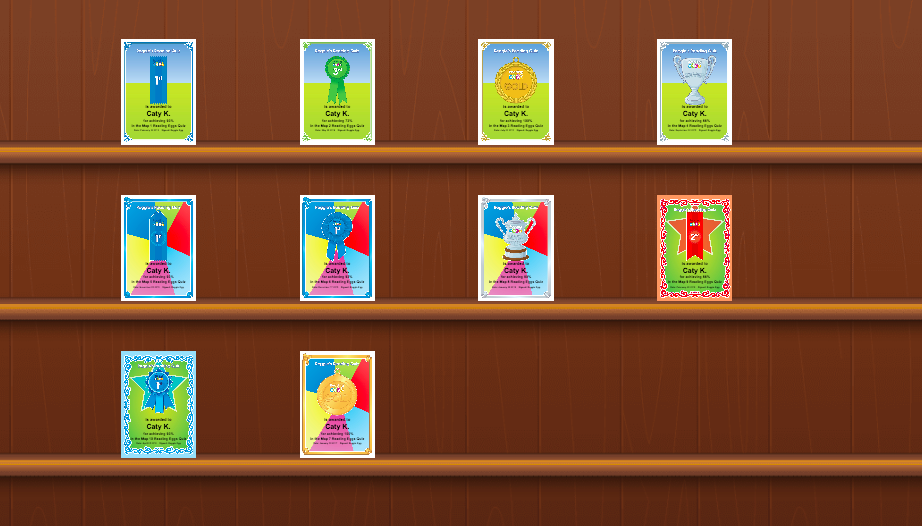
And the Award Section is still there to help build their confidence in the new skills they are learning.

There is also a Story Building Section


And a fun way to test all the new skills they are learning.


We have been using the program for a few weeks now with Caty, and she LOVES to sit and read the digital books and she even takes the quizzes.  Being able to see her reward and earning more eggs to spend on her "house" is great incentive for her.  In fact, I have had to actually drag her off the computer to get her other work done.  I never thought I would see the day where we would have to negotiate how much time she spent playing on a reading skills program.

We were not really looking for a secondary math program, but she was dying to try Mathseeds.  So I gave in and let her take some of the lessons.  Mathseeds has been great for her to reinforce the math skills she has been learning with her other curriculum.  In fact, there were a couple times during the review period when I was so tired, I just let her use Math Seeds as her stand alone curriculum for a few days.  She actually loved it.  

Caty is LOVING all aspects of Reading Eggs.  Her improvement is slow, but she has made a few small gains using both the reading and math side of Reading Eggs.  For a student who is struggling with special needs, I truly forgot how great this program truly is!  The cartoon characters are fun for her, and the encouragement she is receiving in her awards and through earning eggs has been great.  Even after the review period, I plan continuing to use Reading Eggs for Caty.  

Reading Eggs also provides easy to Print worksheets to use for each one of the Lessons.  If I feel like she needs to work a little more on a topic, I can easily print worksheets that allows her that practice.  I can print them for all her current programs, even the Mathseeds.


Another sample question on a worksheet:


You could easily use Reading Eggs as a stand alone program for most of your subjects.  These include Language Arts, Spelling, Social Studies, Science, and also Math.  To make it easier for homeschool parents with kids in grades K - 2, Reading Eggs has created downloadable lesson plans that allow you to piece together which digital books to read that covers all the subjects you need.  So you can print and go.  Lesson planning done.


You might think that this many resources would make Reading Eggs outside of your family budget.  But it's actually very affordable.  You can purchase Reading Eggs for 6 months, $49.95 or for a full 12 month subscription, purchase Reading Eggs and Mathseeds for $59.00.  If you would like, you could purchase just Mathseeds for 12 months for $49.95.  


Lydia was able to use the older version of Reading Eggs, Reading Eggspress.  


Reading Eggspress was written for ages 7 - 13 (roughly). Students can work on continued reading skills, as well as language arts skills and other important literature skills.  She is absolutely LOVING that she isn't needing to be tied to boring literature lessons.  She can login and work on her lessons independently.  And again, I have a problem with her wanting to stop her lessons.  She would spend the entire morning playing in the Reading Eggspress area if I could allow her too.  I can also print extra practice sheets for her to complete also, if she is struggling.

Using Reading Eggs the last few weeks has freed me up a little bit in a couple of areas.  All of the curriculum is located in one location, and the work is done for me.  I just tell them to log onto the accounts and do their lesson/lessons for the day.  Oh I do set a timer so I don't lose track of the time.  Otherwise it's just so quiet while they play away....and completely learning!!!

If you still are not sure... You can try Reading Eggs for 4 weeks at no charge.  This code expires on November 30, 2017.  So hurry and try it today!!


Check Reading Eggs out!  You won't regret it!  

Several members of the Schoolhouse Review Crew were given the opportunity to try out Reading Eggs the last few weeks.  Click on the link below to read how they liked it and used it in their homes.


Reading Eggs
Crew Disclaimer


Wednesday, December 28, 2016

I Survived The San Francisco Earthquake 1906 Reading Comprehension Guide


I love this series that has been released by Scholastic.  Each story presents actual facts and events that occurred during that time.  They are eye openers about how people were feeling and the challenges that faced them during these tragedies.  We have been using them in our home and also with Homeschool with Minecraft classes.  I thought I would share the comprehension questions that I created for each story.

I Survived The San Francisco Earthquake, 1906 Reading Comprehension Guide


Please note my terms of use:
This is for personal use only. 
I am providing them free of charge.  
You may use this at home or in a classroom.  
You may print as many copies as you would like. 
You may share the link to our blog to others interested in our packets.  

You may not:
Sell or distribute this file.  
Host this file on your website without permission from myself.  
Upload this file to a shared website (Ex. 4shared.com)


Wednesday, December 21, 2016

I Survived the Bombing of Pearl Harbor Reading Comprehension Guide


I love this series that has been released by Scholastic.  Each story presents actual facts and events that occurred during that time.  They are eye openers about how people were feeling and the challenges that faced them during these tragedies.  We have been using them in our home and also with Homeschool with Minecraft classes.  I thought I would share the comprehension questions that I created for each story.

I Survived the Bombing of Pearl Harbor, 1941 Reading Comprehension Guide


Please note my terms of use:
This is for personal use only. 
I am providing them free of charge.  
You may use this at home or in a classroom.  
You may print as many copies as you would like. 
You may share the link to our blog to others interested in our packets.  

You may not:
Sell or distribute this file.  
Host this file on your website without permission from myself.  
Upload this file to a shared website (Ex. 4shared.com)


Wednesday, June 8, 2016

MaxScholar - MaxGuru Reading Intervention Online Review


MaxScholar has created a special reading intervention program for children who are diagnosed with dyslexia, ADHD, processing disorders and other learning disabilities.  We recently had a chance to review the MaxScholar Reading Invention Programs.

MaxScholar offers help a multi-sensory approach for learners.  They have created a program that is visual, tactile and also auditory depending on how your child learns best.  They have based their program on the well-known Orton-Gillingham reading approach and strategy.  The MaxGuru program can be used on both computers (PC/laptops) and tablets.

It uses a multi-sensory approach which incorporates the "Five Pillars of Reading":
  • Phonetic Awareness
  • Phonics
  • Fluency
  • Vocabulary
  • Comprehension

The MaxGuru annual subscription gives you full access to MaxPhonics, MaxReading, MaxWords, MaxMusic, MaxPlaces, MaxBios, and MaxVocab.  The recommended age range is through elementary school or whenever your child needs extra help.  The full MaxGuru package is currently $279 for a full year.


Caty has a comprehension delay in her processing of material, which causes her trouble breaking down words whiles she is reading.  She also does not always understand vocabulary by just reading the words around the word, and she struggles with remembering letter sounds.

So we started with the MaxPhonics and MaxReading.  I really like how MaxPhonics gives students 3 different ways to look at the letter and how it is formed.


It is interactive, but not full of cartoony-type distractions.  Which can defeat the purpose of learning in some circumstances due to the child's attention being diverted from what is important to what is flashing and moving on the screen.  I will admit though, Caty found this section a bit on the boring side.  But I saw that her watching the letter forms and then hearing the sound was very helpful to her.

In the MaxReading, students are encouraged to look at pictures and select the answers to the questions about each pictures.  We started her in the very basic level.  So there was not much reading involved.


But as a student improves, they do start reading passages and answering questions.  They use highlighting tools to break the passages down for the easiest understanding.  Caty did enjoy this area, and I liked how they encouraged the use of term, main idea through the lessons.  

She did not use all areas of the program as of yet, because the MaxWords was a bit above her level of understanding yet.  This area encourages students to break down words and allows them to learn the meaning of words by looking at the prefix and suffixes that are being used.


Again, you will not find a bunch of flashy characters and distractions on the screen.  They can drag and drop and encouragement is given when a student does answer a question properly.  The only reason we didn't get to this section, is it is above her skill level as of this date and I did not want to frustrate her, since this can happen very easily because of her autism.  But I did play around in this area and I was very impressed with the amount of both prefixes and suffixes that were being introduced to students.  The level of the the MaxWords could easily be used into middle school.  It introduces both Latin and Greek word meanings to help students decode words.

The games were basic and not exactly what Caty viewed as games.  So she played with them, but told me I was just fooling her.  It is very hard to make these types of topics appealing and considered fun by children.  If your child is struggling though and is not a workbook student, which Caty is not, MaxScholar is definitely something for you to take a look at.

Here is a video about the program:


Included also with MaxGuru are the MaxVocabulary program where students look up the words they are reading in their passages in the online dictionary.  

MaxMusic encourages students to learn using song lyrics, of some very popular and well-known artists, as well as some classics.


They can also play Music games that allows them to recognize more letter sounds through auditory learning.  They can also follow patterns on the keyboard.


In the MaxBio section, students can learn more about famous people through guided reading.  We were able to use this great piece for Joey's report on Matt Groening.


MaxScholar has created a wonderful program to help students who are struggling.  The problems that I had with Caty were that she craves the constant flashing to comfort her brain.  She does crave the distraction, which MaxScholar has done a wonderful job keeping at a minimum.  I am not going to fault MaxScholar for Caty not having a great love of their program.  It met her learning needs, but she craved more flashy means.  

I did enjoy the presentation that is provided.  The program does grow with your child as they are making improvements in the skills they are struggling with.  Would I recommend MaxScholar?  Yes I would.  I would recommend it for older students who are struggling and need some extra help.  They are the ones that want to use online material and yet do not want the cartoon characters, because they feel they are too old for it.  I would definitely see MaxScholar working for students in late elementary through middle school.

We will continue to include MaxScholar - MaxGuru program in our weekly schedule.  She has started to grasp the elements of literature, including the main idea.  We will continue with the MaxPhonics as it encourages recognizing and remembering letter formation and sounds.

Several members of the Schoolhouse Review Crew were given the opportunity to try out the various levels of MaxScholar.  You can visit the Review Crew blog to see how they used MaxScholar in their homes.


MaxScholar Reading Intervention Programs Review
Crew Disclaimer

Friday, October 9, 2015

Reading Kingdom Online Review


There are a lot of reading programs option out today.  We have tried many...many of them.  We recently had the opportunity to try out Reading Kingdom Online Reading program.  Caty has been working with the program a few weeks now and I'm seeing a steady improvement in her reading and even some of her spelling skills.

Reading Kingdom Online is an online reading and writing program for ages 4-10.  It's fun and completely interactive.  

Some of the benefits of Reading Kingdom are:
  • It works as a standalone curriculum or as a supplement.
  • It can be used independently by the child.
  • The program adapts to your child's strengths and weaknesses give them an individualized lesson.
  • It's a fun way to learn typing and reading skills.

Created by  Dr. Marion Blank, one of the world's top experts in reading, 'Reading Kingdom Online uses the research she done and turned it into a patented "6-Sim" Six Skill Integrated Method that teaches all the reading and writing skills in an integrated fashion.  These skills complement each other and reinforce each other, instead of competing.  

Many children fail to become proficient readers because they get overwhelmed by the amount of phonics rules.  And this described Caty so well.  She struggles so much. There are fewer than 1 in 5 words that can be sounded out.  Caty gets so overwhelmed and frustrated trying to figure out why the words were not matching the sounds.  I was getting frustrated repeating, "Well that would be right, but there is this rule also."  There are just some children that do not thrive on phonics based teaching methods.  

Reading Kingdom Online has taken the frustration out of forcing phonics based learning on her.  This is a big deal for us.  

In the past few weeks, Caty has been make slow strides in her reading skills.  She is also improving in her keyboarding skills, since this is one area that Reading Kingdom Online allows students to work on.

We actually start out each day's schoolwork with Reading Kingdom Online.  The shorter lessons are great for her attention span, and most days she gets so excited about finishing another level....that she will actually do another lesson without complaint!!  That is saying alot!!  

We are using Reading Kingdom as a supplement along with another program and Caty obviously prefers Reading Kingdom since the work amount required is shorter.

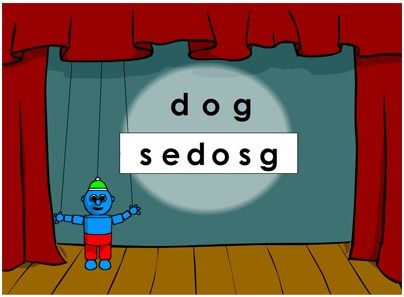
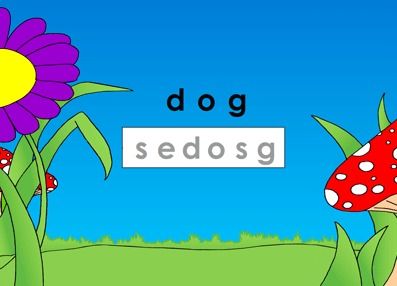
Reading Kingdom Online is fun, bright and colorful....

Teaches spelling and reading....


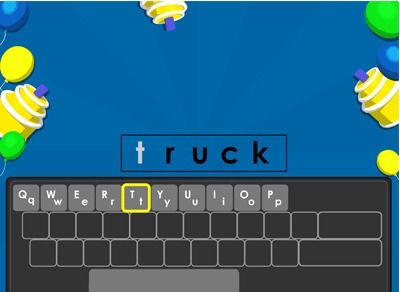
Teaches typing skills (I love this extra!!!)....


As the child makes improvements, the program actually adjusts to your child's skill level.  So it customizes for each individual child.  


We have a subscription to another online reading program, but I constantly find Caty distracted by the character side of the program and not actually completing her lesson.  I feel like I spend more time telling her to do her lesson work than I need too.  I like that Reading Kingdom Online is bright and colorful, has fun animal characters and yet those characters do not distract from the whole point of the program.......learning.  The added bonus of the short lessons is definitely wonderful.  In fact, I am shocked how much learning is packed into just a few minutes.  

Reading Kingdom Online recommends that you use their program at least four days a week.  So it is very easy to fit into your day if you have a struggling reader whether you are a homeschooler or your child attends a public school.  We will continue using Reading Kingdom Online with Caty.    

Check out for yourself how their approach is by watching this short video on the program.


You can try out Reading Kingdom Online with your child also!!  They offer a 30 day trial to allow you to see if the program will work for your family.  After the first 30 days, it is only $19.99 per month or $199.99 per year for your first child.    There are extra materials that you can purchase, such as readers...but it is not necessary to purchase these to use the program.

Several members of the Schoolhouse Review Crew were able to use Reading Kingdom Online in their homes, please take some time to see how this program worked for them.
Reading Kingdom Review

Crew Disclaimer